
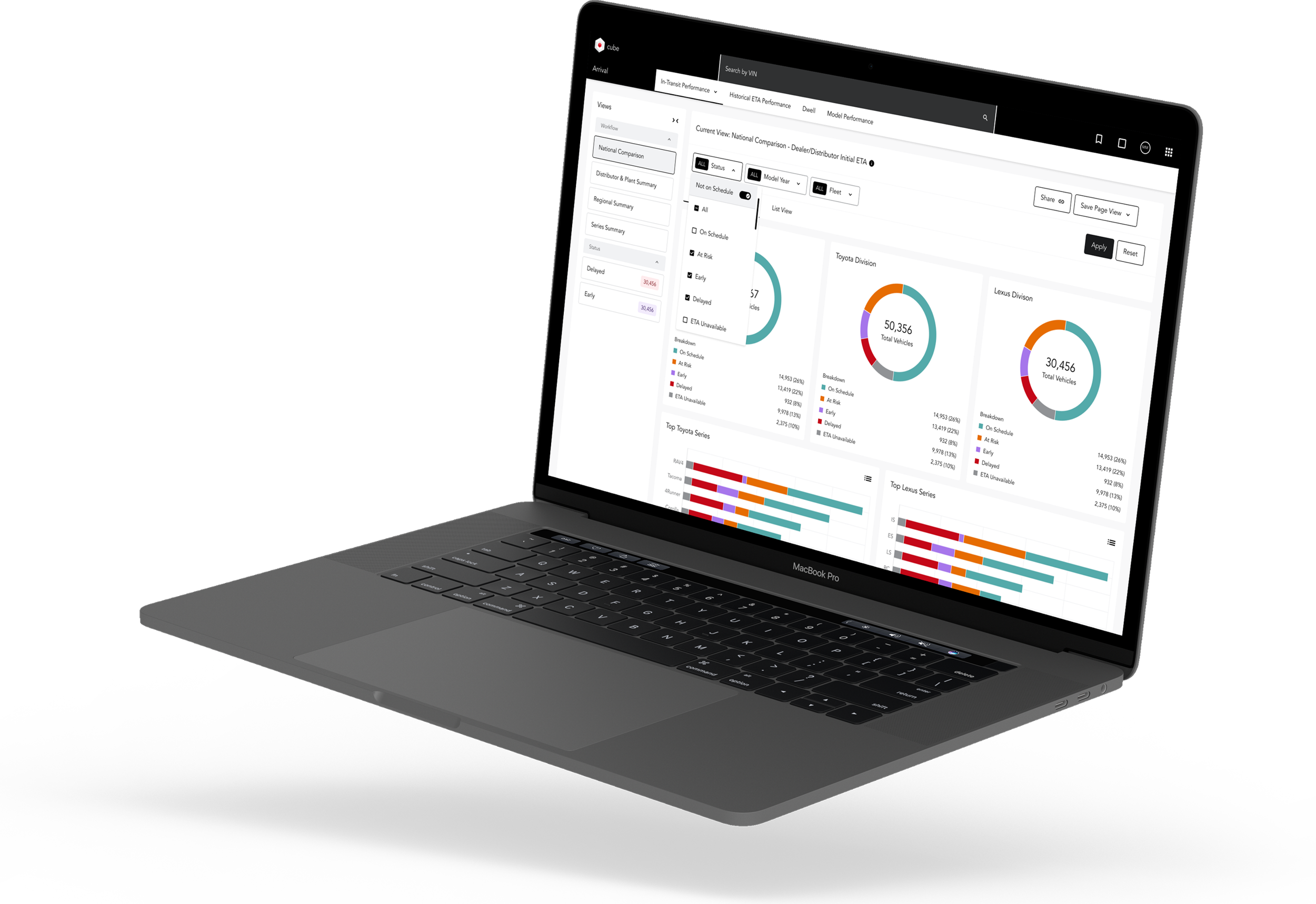
A 0-to-1 product,
a 0-to-1 design system,
one designer.
↓
ROLE
Principal UX Designer
Design System Architect
User Researcher
Prototype
TEAM
1 Principal Designer
2 Engineers (FE + Full Stack)
1 Head of Product
5 Stakeholders
TOOLS
Figma, Figjam
ShadCN, Tailwind
Storybook
Jira, Confluence
TIMELINE
14 Months
March 2025 — Present
Testimonials
"[PLACEHOLDER — ~50 words from Head of Product on the shift from Excel to a real platform.]"
- Head of Product @ NMC²
"[PLACEHOLDER — ~50 words from an engineer on shipping from tokens and Storybook.]"
- Front-End Engineer @ NMC²
The Brief
"Our portfolio analytics team runs on Excel. Reports get built by hand, scenarios take hours, and the whole system depends on one person's memory. Build the platform that replaces the spreadsheet.”
The Solution + My Role at a Glance
At NMC², I joined as the first and only designer on Project Alpha — the internal codename for the Portfolio Management Solution.
My job was to take a tool that lived in spreadsheets and turn it into a platform the analytics team and senior leadership could trust with the firm's investment decisions. The goal? A purpose-built system, builton a design system that didn't exist yet. I partnered with two engineers and a Head of Product, shadowed the analytics team's super-user, ran discovery, anddesigned every section of the product end-to-end — from the Portfolio Manager and Asset List to Westlawn, Ventures, and Market Risk. To make the work scale, I also architected NMC²'s design system from scratch — semantic tokens, a Shadcn-aligned Figma library, a Tailwind theme, and a Storybook handoff. In the end, the product and the system shipped together, because neither could exist without the other.
Research
Dont Design. Just watch.
Every enterprise tool eventually reaches the same fork: iterate on what exists, or admit the thing needs to be rebuilt from its actual logic outward. NMC2 was already past that fork by the time I got involved — the question wasn't whether to redesign the interface, it was whether anyone actually understood the workflow the interface was supposed to represent.
They didn't. Not because the team was disorganized, but because the real system had never lived in software. It lived in one person.
The constraint I set for myself: don't touch the interface until I understand the job it's standing in for. Anything designed before that point wouldn't be a redesign of the workflow — it would just be a redesign of the screen, dressed up to look like progress. So before opening a single design file, I went to the source.
For three weeks, I sat beside River, the team's VP of Global Portfolio, while he ran "what-if" scenarios live — not just watching what he clicked, but what he was actually deciding, and the mental math happening in the seconds before he touched a cell. Alongside that, I ran six stakeholder interviews with the Head of Product, engineering, and adjacent teams to map where the underlying data actually originated and who depended on it downstream, then reviewed the Product Charter and the existing spreadsheets against a structured discovery interview I documented in Confluence — turning what had been tribal instinct into something a second person could actually reference.
What that process surfaced was consistent across every method: the same workflow, described the same way, by every person who touched it. Each new "what-if" scenario meant rebuilding logic that already existed — just never anywhere reusable — and by River's own estimate, a single scenario could take four to six hours to reconstruct by hand, entirely from memory of how the last one had been built. That workflow — the one leadership's actual portfolio decisions ran on — existed nowhere except inside River's head and his personal spreadsheet logic. That's not a tooling gap. That's a single point of failure sitting quietly under every decision the business made on top of it.
That reframed the entire brief. This wasn't "make the dashboard easier to use." It was: externalize a mental model that had never been designed, was never written down, and was actively load-bearing. Any solution that didn't start by making that model explicit — visible, shared, and reasoned-about by more than one person — would just be a better-looking version of the same fragility.
That's the problem Ideation had to solve.
Problems
To redesign Toyota’s PCPS system the right way, I needed to understand exactly how people were using it — and where it was slowing them down. I spent time with stakeholders and key operations and pricing managers, running workshops to uncover their workflows, daily challenges, and frustrations with the current system.
Beyond conversations, I got hands-on with the system itself, exploring its tools in real-world scenarios to identify breakdowns. This deep dive helped me connect the dots between user pain points and underlying system issues.
Through this research, three major problems stood out — problems that became the driving force behind the redesign.
The entire scenario-modeling logic existed in one person's head, with no shared reference anyone else on the team could work from.
1. Undocumented
Every "what-if" scenario had to be rebuilt from scratch across tabs and spreadsheets, every single time, with no reusable structure to build on.
2. Manual
The mental model that made the portfolio legible had no home anywhere a second person could see it, question it, or learn from it.
3. Siloed
User Journey
I met with the team regularly to confirm my learnings — mapped workflows for pricing updates, supply adjustments, KPI’s, data usage, and vehicle configuration processes, identifying critical bottlenecks that slowed decision-making.
Data Flow Delays: Pricing and supply data were siloed, forcing users to cross-check multiple sources, leading to inefficiencies.
Cumbersome Navigation: Users had to navigate through multiple layers of menus to access essential tools, creating unnecessary friction.
Lack of Real-Time Visibility: Slow system responses and outdated status indicators caused delays in approvals and adjustments.
These insights highlighted where the system was breaking down, guiding the redesign toward what could be a more automated experience.
User Personas
Based on user interviews and workflow analysis, we developed four key personas representing the diverse roles relying on the PCPS system. Each persona captured distinct goals, challenges, and frustrations—whether it was slow system performance causing delays, outdated design leading to inefficiencies, or a cluttered interface making navigation difficult. This comprehensive approach ensured that our redesign addressed the most pressing user needs while accommodating the varying demands of each role.


Ideation
How might we make PCPS fast, modern, and relevant?
The new PCPS must acheive these goals in order to be considered successful:
Slow →
Fast
The redesigned PCPS system should deliver a significantly faster experience by optimizing system performance and reducing the lag that slows down critical pricing and supply decisions.
Dated →
Modern
The interface should be updated with a clean, modern design that aligns with contemporary enterprise tools, making navigation and daily tasks more efficient and user-friendly.
Relevant
Cluttered →
The new system should simplify workflows by reducing unnecessary complexity, making key tools and data more accessible, and streamlining the interface to enhance usability.
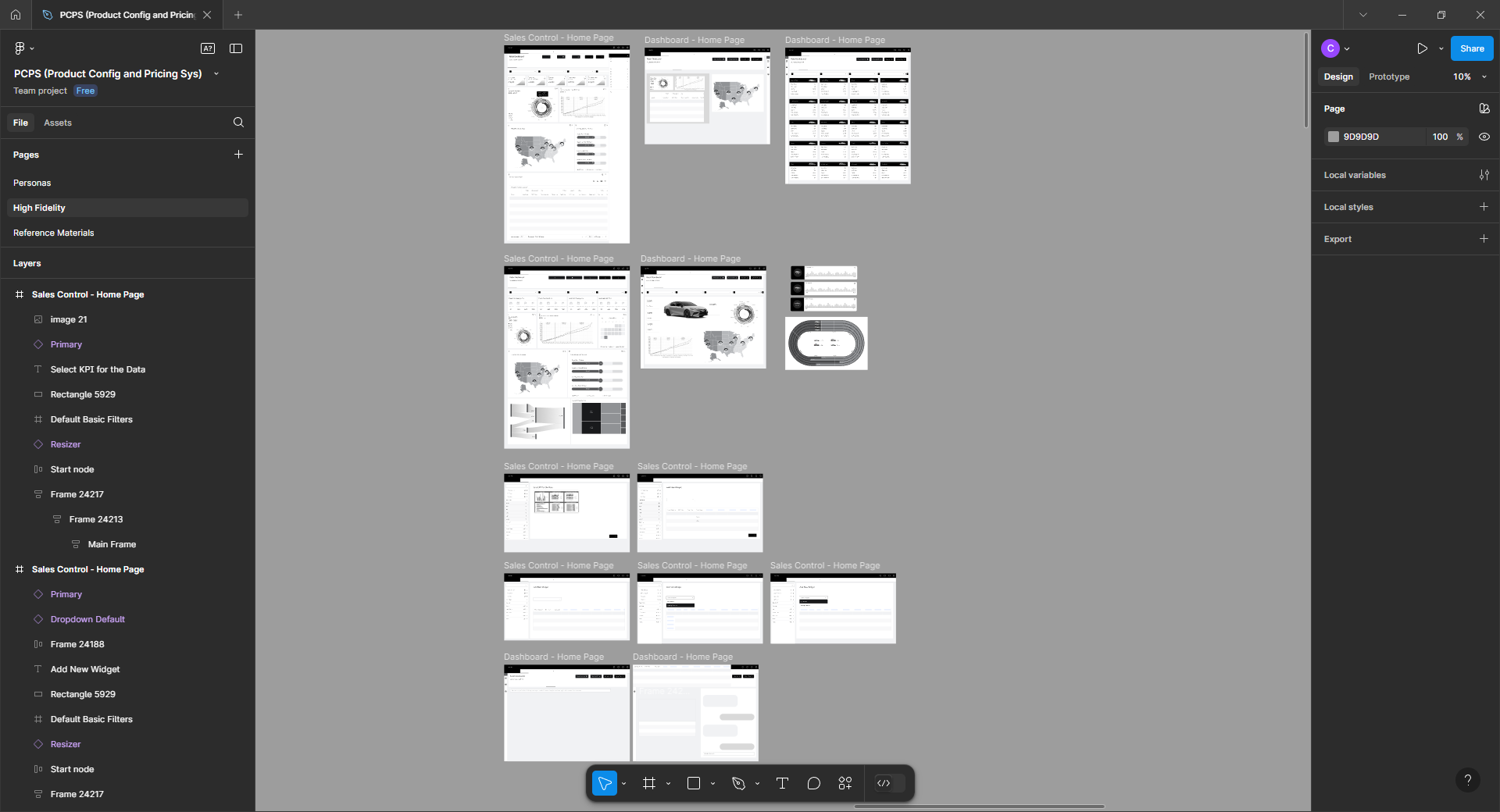
Lo-fi Designs + Napkin Sketches
This is where the fun begins! ~ I began with quick sketches and low-fidelity mockups to refine navigation and improve the overall flow. I developed a scalable, high-performing design system based on Toyota's Carbon library. After multiple iterations, we arrived at a layout that felt intuitive and worked seamlessly for users.



Design
Final Designs Gallery
After extensive research and collaboration, my efforts toward Toyota’s PCPS system redesign improved overall user experience, streamlined workflows, and set the foundation for ongoing improvements; empowering the team to make key system updates moving forward.
Reflection
Bringing It All Together
This project was a huge learning experience for me. While I had previous exposure to design systems, I was amazed by the complexity and intricacies of Toyota's supply chain, especially working in an environment with so many moving parts and a product being released on a global scale.
Throughout the process, we adapted the existing Carbon library from IBM, which replaced their outdated design system. I learned that this kind of large-scale system demands more than just usability; it requires deep, thoughtful iteration and the ability to adapt to a dynamic and evolving environment.
Some of my biggest takeaways from the project were:
Embrace failure as part of the process – The only way to learn and grow is by diving into the work, even when things don't go as planned. Failure isn't something to fear—it's a key part of getting better.
Iteration is key – In a project this complex, it's normal to look back at early work and think, "What was I thinking?" Over time, designs evolve, and that’s completely fine. The goal is constant refinement.
Design for others, not yourself – In the end, this system is for the users—stakeholders, internal teams, and end customers. It's about making their work easier, so I made sure to do plenty of A/B testing, usability testing, accessibility evaluations (AA/AAA standards), and conducted stakeholder reviews to validate my designs. Their feedback was crucial to creating something that truly met their needs.